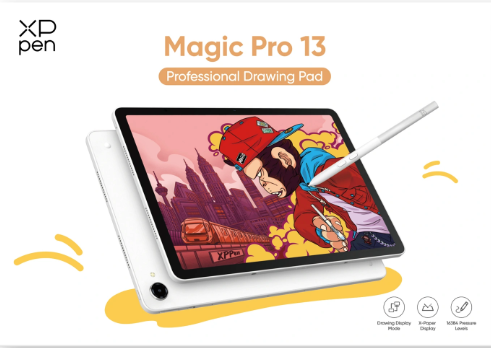
Digital art creation is undergoing a rapid transition, shifting away from tethered desktop displays toward high-performance, self-contained mobile workstations. For years, digital illustrators and animators faced a tough trade-off: compromise on precision with standard consumer tablets that suffer from slippery glass, or stay chained to a heavy PC workstation. XPPen fundamentally reshaped this market by introducing the industry’s first dedicated standalone Android drawing pad featuring professional EMR stylus tech. In 2026, the company raises the bar again with the debut of the XPPen Magic Pro 13 standalone drawing Pad. Built on the solid foundation of the original XPPen standalone Magic Drawing Pad, this new flagship updates screen performance, processing horsepower, and cross-device hardware modes. If you are weighing an upgrade, this head-to-head comparison between the XPPen Magic Pro 13 vs Magic Drawing Pad breaks down which device aligns best with your studio or field workflow.
1. Design, Portability & Build: Compact Carry vs. Extended Canvas
When sizing up the XPPen Magic Pro 13 vs. Magic Drawing Pad, physical dimensions and working ergonomics form the first line of distinction.
Dimensions and Weight Realities
The original XPPen standalone Magic Drawing Pad was engineered around effortless daily carry. Tipping the scales at roughly 565 grams with a compact 12.2-inch footprint, it slides right into standard messenger bags and backpacks. It remains a sweet spot for art students and traveling sketch artists who prioritize rapid deployment over sheer screen area.
Conversely, the newer XPPen Magic Pro 13 standalone drawing Pad expands your creative canvas to a spacious 12.95 inches. Despite the larger screen real estate, XPPen’s hardware engineers trimmed the profile down to a razor-thin 6.65 mm and kept the overall weight to just 655 grams. This thoughtful engineering keeps hand fatigue low during long handheld sketching sessions while providing ample room for multi-panel art apps.
On-the-Go Ergonomics and Daily Usability
During field sketching or long work sessions in coffee shops, comparing the XPPen Magic Pro 13 vs. Magic Drawing Pad highlights two distinct user styles. The larger 12.95-inch screen on the Pro 13 allows artists to leave toolbars, color wheels, and reference windows pinned without crowding the main drawing canvas. On the other hand, the lighter body of the 12.2-inch model feels slightly nimbler when held single-handed without additional desk support. Both units work seamlessly with magnetic stand cases and external keyboards for flexible field studio setups.
2. Display Technology & Drawing Surface: X-Paper Evolution
Your display is your direct interface with digital ink. In evaluating the visual output of the XPPen Magic Pro 13 vs. Magic Drawing Pad, hardware iterations reveal noticeable generational leaps.
| Display Specification | Magic Drawing Pad | XPPen Magic Pro 13 | Creative Impact |
| Screen Dimensions & Aspect Ratio
|
12.2 inches (3:2 ratio) | 12.95 inches (3:2 ratio) | Approximately 18.5% More Vertical Workspace for Drawing |
| Resolution & Pixel Density | 2160 × 1440 (2.5K / 213 PPI) | 3096 × 2064 (3K / 287 PPI) | Sharper vector lines and fine brush detail |
| Refresh Rate | 60Hz | 120Hz / 90Hz / 60Hz Adaptive | Silky-smooth canvas panning and line tracking |
| Color Gamut Coverage | 97% sRGB | 100% sRGB, 96% DCI-P3 | Professional color fidelity for print and digital |
| Peak Brightness | 360 nits | 650 nits | Outdoor usability under direct sunlight |
3:2 Aspect Ratio and 3K 120Hz Visuals
Both devices adopt a creator-focused 3:2 aspect ratio, which provides significantly more vertical drawing room than traditional 16:9 widescreen entertainment tablets.
However, the Magic Pro 13 pushes visual clarity much further. Packing a 3096 × 2064 (3K) panel with 287 PPI and an adaptive 120Hz refresh rate, line strokes attach instantaneously to the pen tip without ghosting during fast cross-hatching. The original Magic Drawing Pad’s 2.5K 60Hz screen remains punchy for general sketching, but the 120Hz upgrade on the Pro 13 delivers a noticeably smoother line rendering experience.
AG+AF Nano-Etched Glass & Color Management
To solve the glare and slipperiness of glossy glass screens, both pads feature AG (anti-glare) nano-etched glass with AF (anti-fingerprint) coatings. The etching alters the glass surface at a microscopic level, creating a tactile paper-like friction that mimics fine 100g drawing paper.
For commercial artwork, color precision is crucial. The Magic Pro 13 covers 100% sRGB and 96% DCI-P3, adding system-level color gamut switching. Artists can lock in sRGB for web illustration or jump to DCI-P3 for animation and print prepress. Backed by TÜV SÜD Low Blue Light certification and a peak brightness of 650 nits, it keeps eyes comfortable across long painting sprints under harsh lighting.
3. Pen Responsiveness & Accuracy: Enhancements with the X4 Smart Chip
Microscopic tuning of the pen sensor separates casual consumer slates from true professional drawing tablets. Testing the stylus capabilities of the XPPen Magic Pro 13 vs. Magic Drawing Pad illustrates how new chip architectures improve line control.
- Magic Drawing Pad (X3 Pro Slim Stylus): 3g Initial Activation Force (IAF) | 16,384 Pressure Levels | 0.6 mm Tip Travel Distance
- XPPen Magic Pro 13 (X4 Smart Chip Stylus): 2g Initial Activation Force (IAF) | 16,384 Pressure Levels | 0.3 mm Tip Travel Distance (200% Wobble Reduction)
2g Initial Activation Force & Reduced Wobble
The Magic Pro 13 comes equipped with the next-gen X4 Smart Chip EMR stylus. Its core achievement is dropping the Initial Activation Force down to 2 grams (compared to 3 grams on the earlier X3 Pro stylus). The tip registers delicate input under the pen’s own light weight, letting artists lay down whisper-thin lines and subtle shading effortlessly. Furthermore, pen tip travel distance is cut down to just 0.3 mm, reducing nib wobble by 200% for solid, precise linework.
16K Pressure Levels and Zero-Battery EMR
Both tablets support industry-leading 16,384 (16K) pressure sensitivity tiers, 60° tilt support, and ±0.2 mm center accuracy. Because they rely on electromagnetic resonance (EMR) technology, neither pen requires batteries or Bluetooth pairing. On the Pro 13, the X4 chip boosts internal processing speeds by 50%, producing near-zero latency line tracking during rapid ink sweeps.
4. Software Ecosystem, Dual-Mode Workflow & Productivity
Beyond raw hardware specs, everyday workflow integration dictates overall productivity. The comparison between the XPPen Magic Pro 13 vs Magic Drawing Pad unveils a major functional divergence here.
Dual Modes: Standalone Pad + Hardware Drawing Display
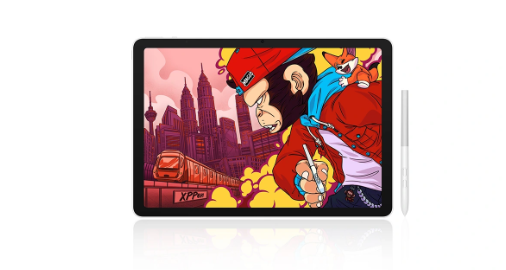
The standout capability of the XPPen Magic Pro 13 standalone drawing pad is its industry-first, hardware-level Drawing Display Mode. Standard mobile tablets rely on laggy third-party screen mirroring software to talk to desktop computers. The Magic Pro 13 features dedicated hardware processing that converts the tablet into a native 3K 120Hz PC drawing display over a single USB-C cable.
In Display Mode, the tablet preserves full 16K pressure levels, tilt detection, and pen button shortcuts. An artist can draft concept layouts outdoors on the standalone Android system, then plug directly into a Windows or Mac PC back at the studio to continue rendering in desktop Photoshop, Clip Studio Paint, or Corel Painter.
Android 16 & Custom Art Tools
On the software side, the Magic Pro 13 runs on a deeply customized Android 16 OS featuring two in-house creator tools:
Shelf (Asset Management App): Uses smart tagging to organize reference photos, brush packs, and sketches, supporting full-library search by color palettes and visual elements.
Canvas (Lightweight Sketching App): Pairs with a “Quick Draw” feature that wakes the screen in seconds so fleeting ideas are never lost.
Both models come bundled with premium software memberships, including ibisPaint (6 months), Clip Studio Paint (3 months), MediBang Paint (3 months), and WPS Office (1 month). Driven by a 4nm MediaTek Dimensity 8300 chip, 8GB RAM, and a massive 10,200mAh battery with 45W PD fast charging, the Magic Pro 13 handles heavy multi-layer canvases without dropping a frame.
5. Value Proposition & Final Recommendation
When choosing between the XPPen Magic Pro 13 vs Magic Drawing Pad, your decision boils down to your primary work environment, required screen size, and budget.
Choose the XPPen standalone Magic Drawing Pad if:
You are an art student, hobbyist, or traveling illustrator looking for an affordable, highly portable standalone tablet. Its 12.2-inch paper-like screen and 16K pressure stylus provide exceptional value for everyday sketching, note-taking, and mobile illustration.
Upgrade to the XPPen Magic Pro 13 standalone drawing Pad if:
You are a professional concept artist, commercial animator, or game designer who demands a larger 13-inch 3K 120Hz workspace, ultra-stable pen nib control, and color gamut switching. More importantly, if you want a single device that functions as both an outdoor standalone drawing pad and a high-end PC drawing display for your main workstation, the IFA award-winning Magic Pro 13 is the ultimate creative tool.
6. Conclusion
Ultimately, the debate between the XPPen Magic Pro 13 vs Magic Drawing Pad represents two distinct milestones in mobile digital art. The original Magic Drawing Pad is a practical choice for artists who value portability and standalone drawing capabilities. In comparison, the XPPen Magic Pro 13 offers a more advanced drawing experience with its 3K 120Hz display, X4 Smart Chip stylus, and USB-C display connectivity.
For artists who want greater screen space, smoother pen performance, and the flexibility to switch between mobile sketching and desktop-based creation, the Magic Pro 13 is worth considering. By matching the device to your preferred workflow, you can find the right balance between portability, drawing precision, and creative flexibility.
Leave a Reply